
CRFs arrive as Word files
Sponsors send CRFs in Word, and data managers rebuild every form by hand in the system.
A clinical data management platform for sponsors, CROs, hospitals and research centres, from the first CRF to database lock.
UniCDM (Unified Clinical Data Management) is owned and developed by OKAXI. Many hospitals and research sites still run a study on paper CRFs, Word files and several separate tools. UniCDM brings these steps into one system: eCRF design laid out like the A4 page, data entry at the site, edit checks and data cleaning, serious adverse event (SAE) reporting, database lock and archiving. The interface and form content are available in Vietnamese, English and Japanese.
Visit unicdm.comPlatforms and data standards
Actual UniCDM screens on the web and in the mobile app.
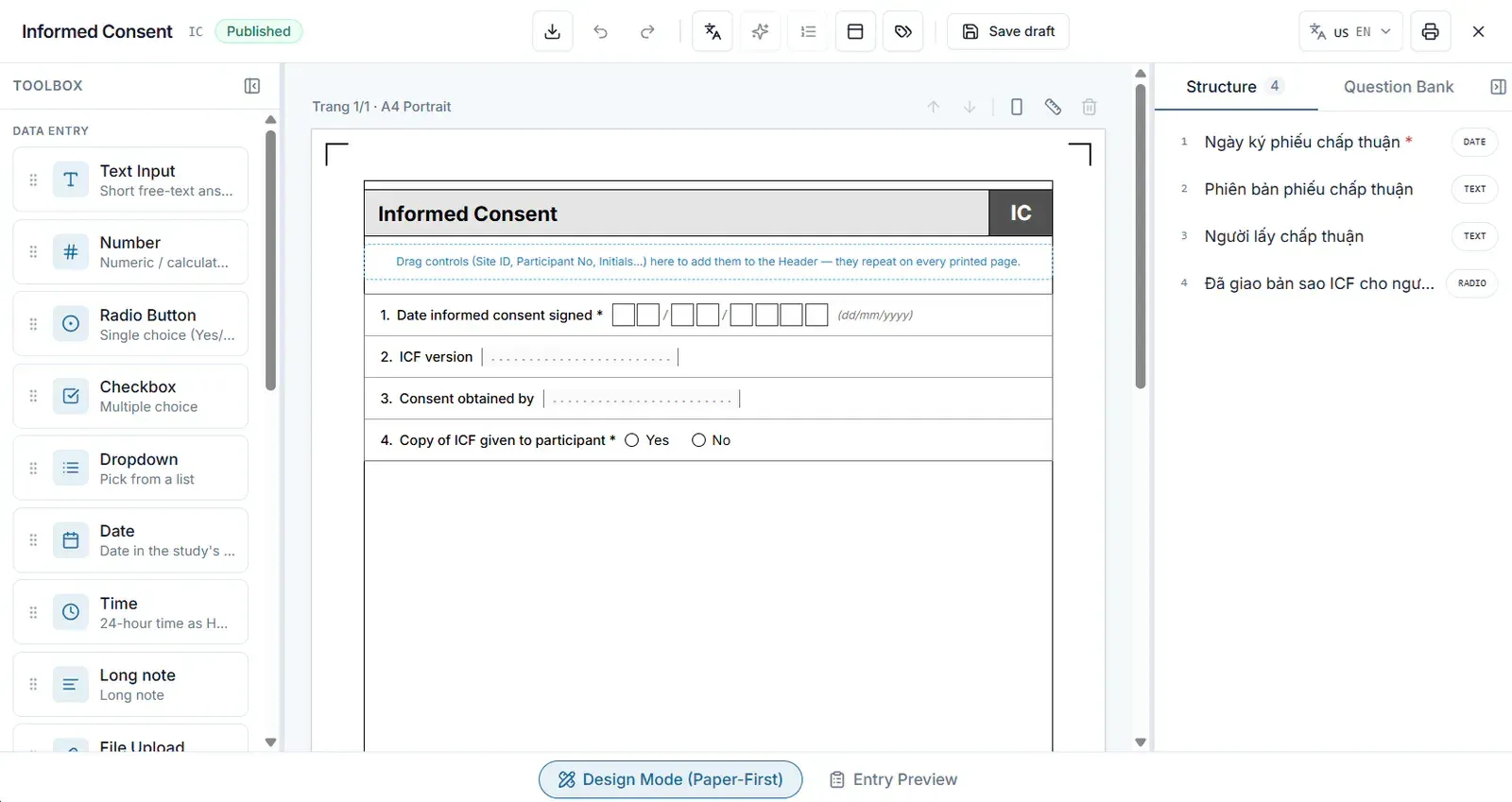
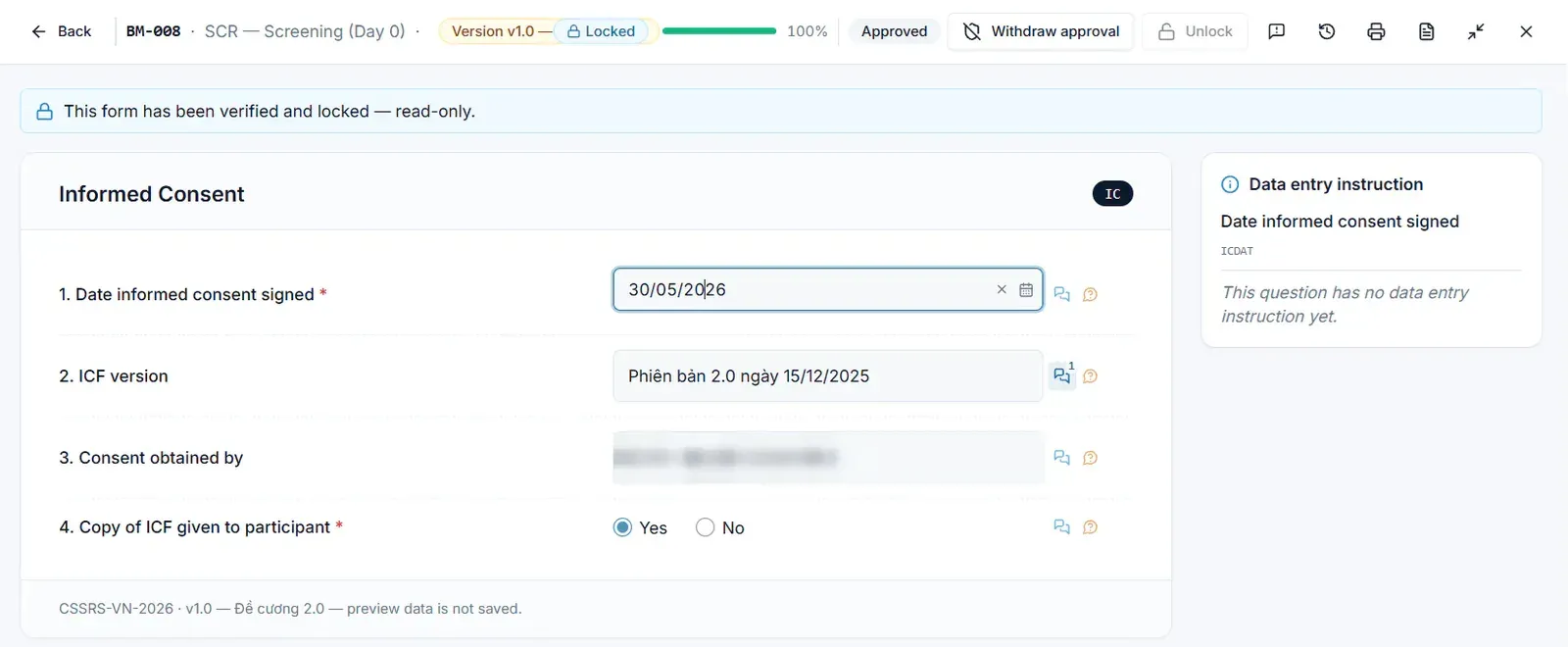
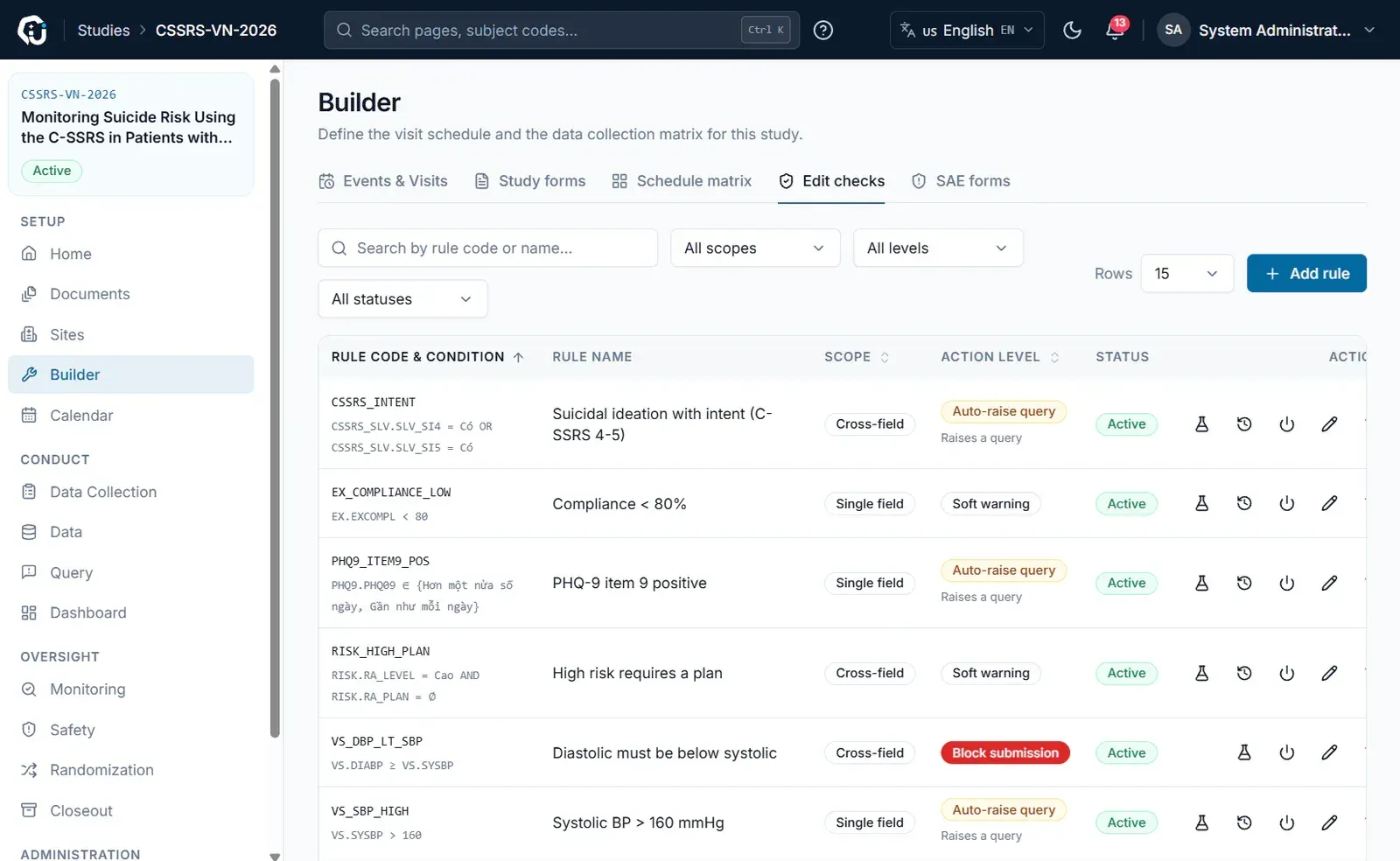
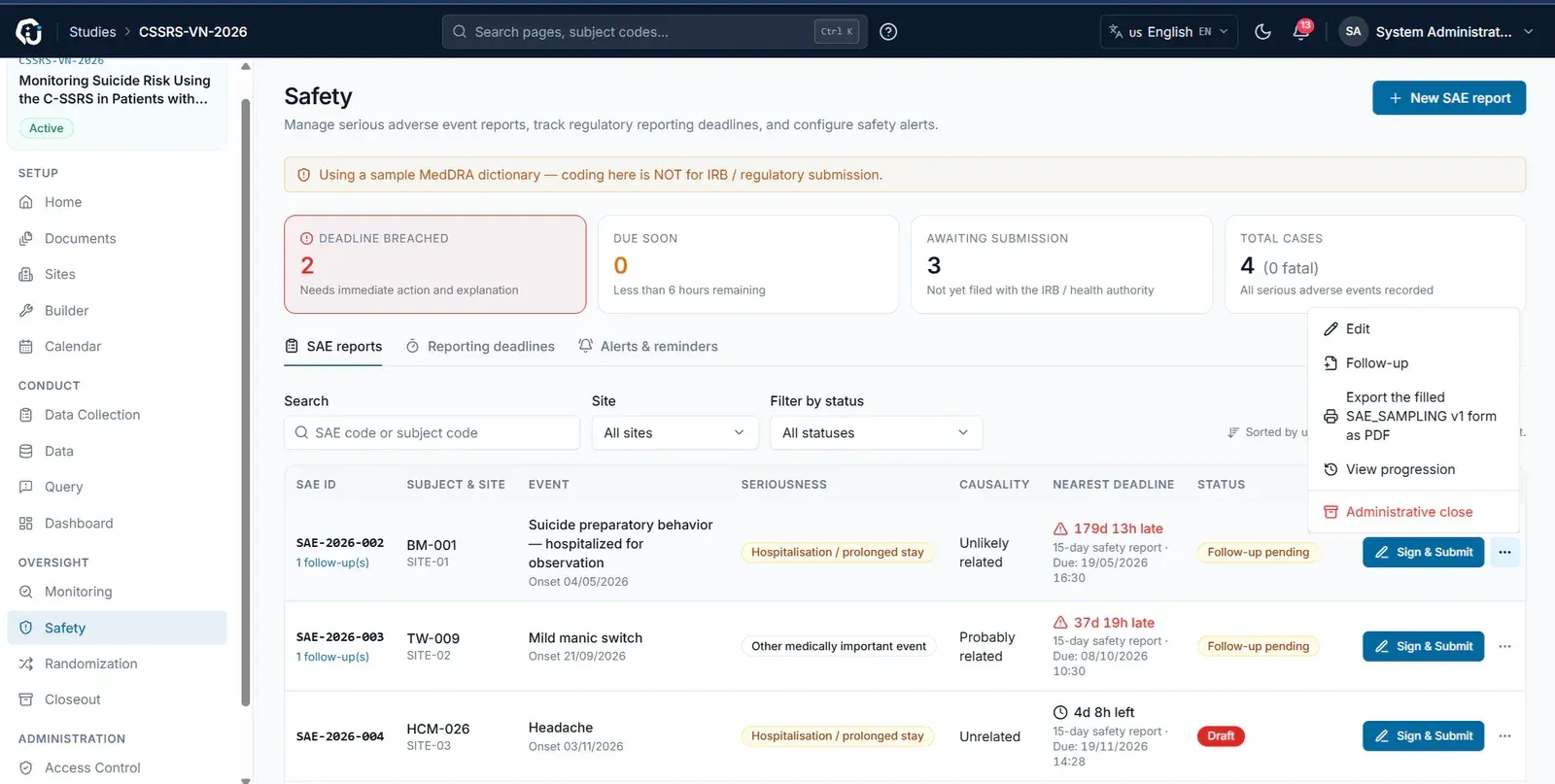
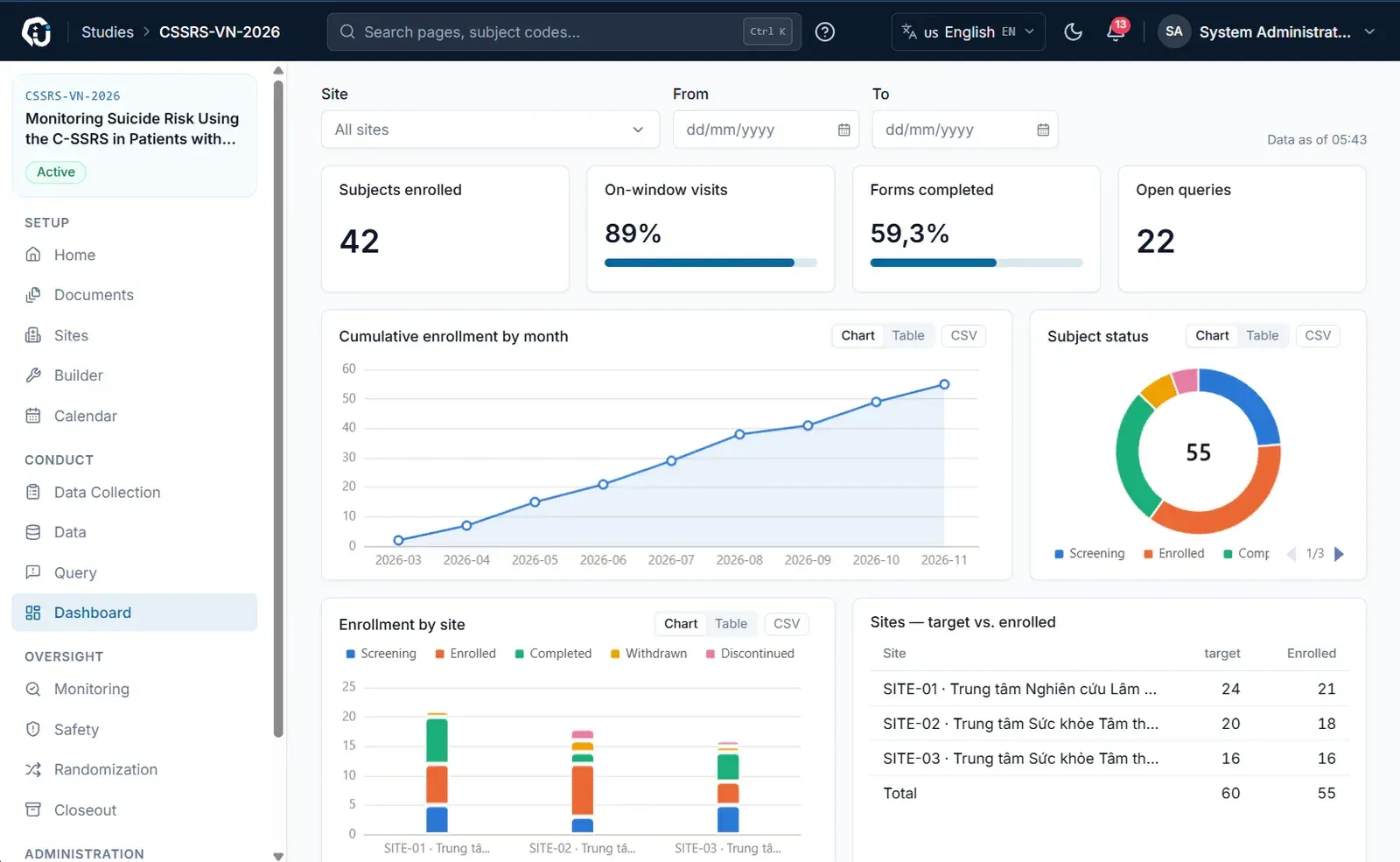
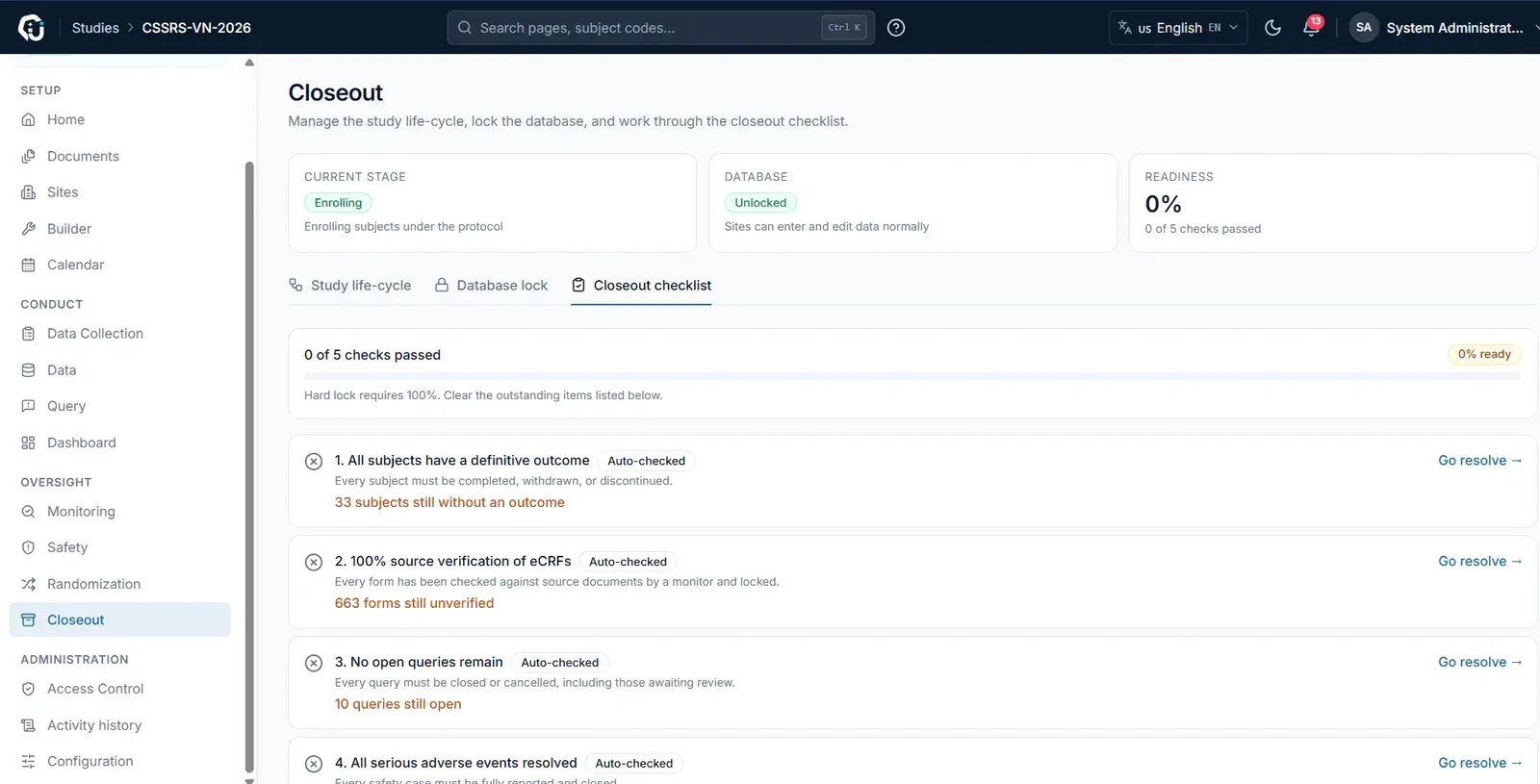
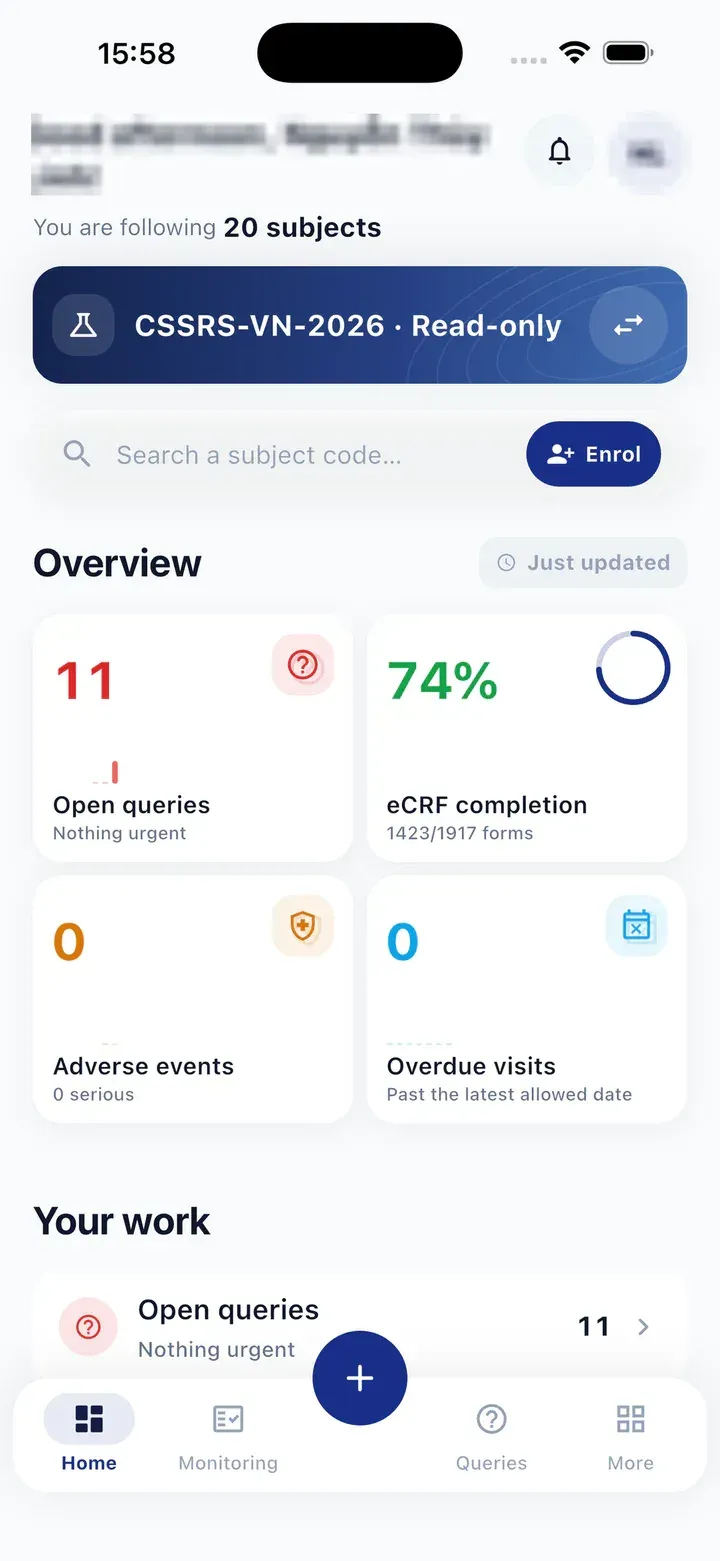
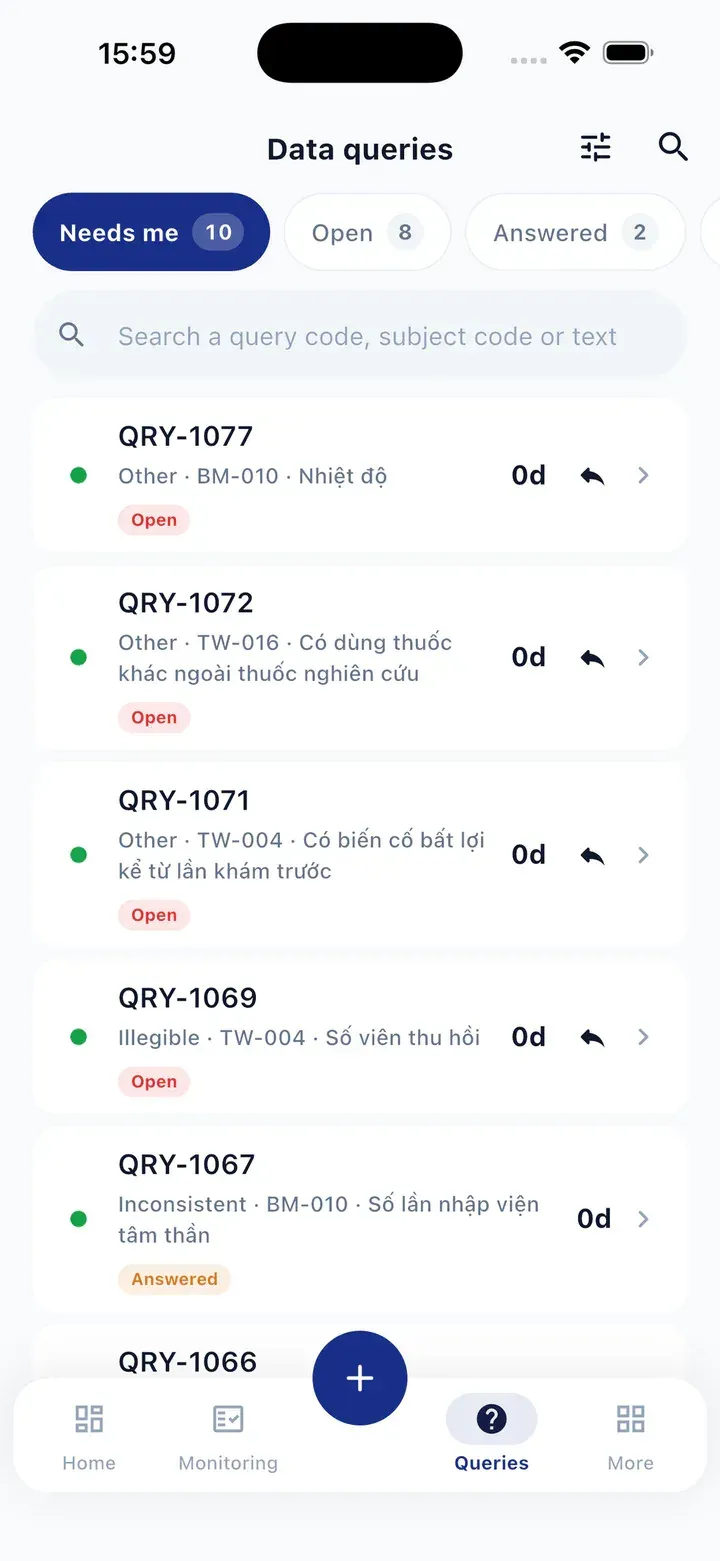
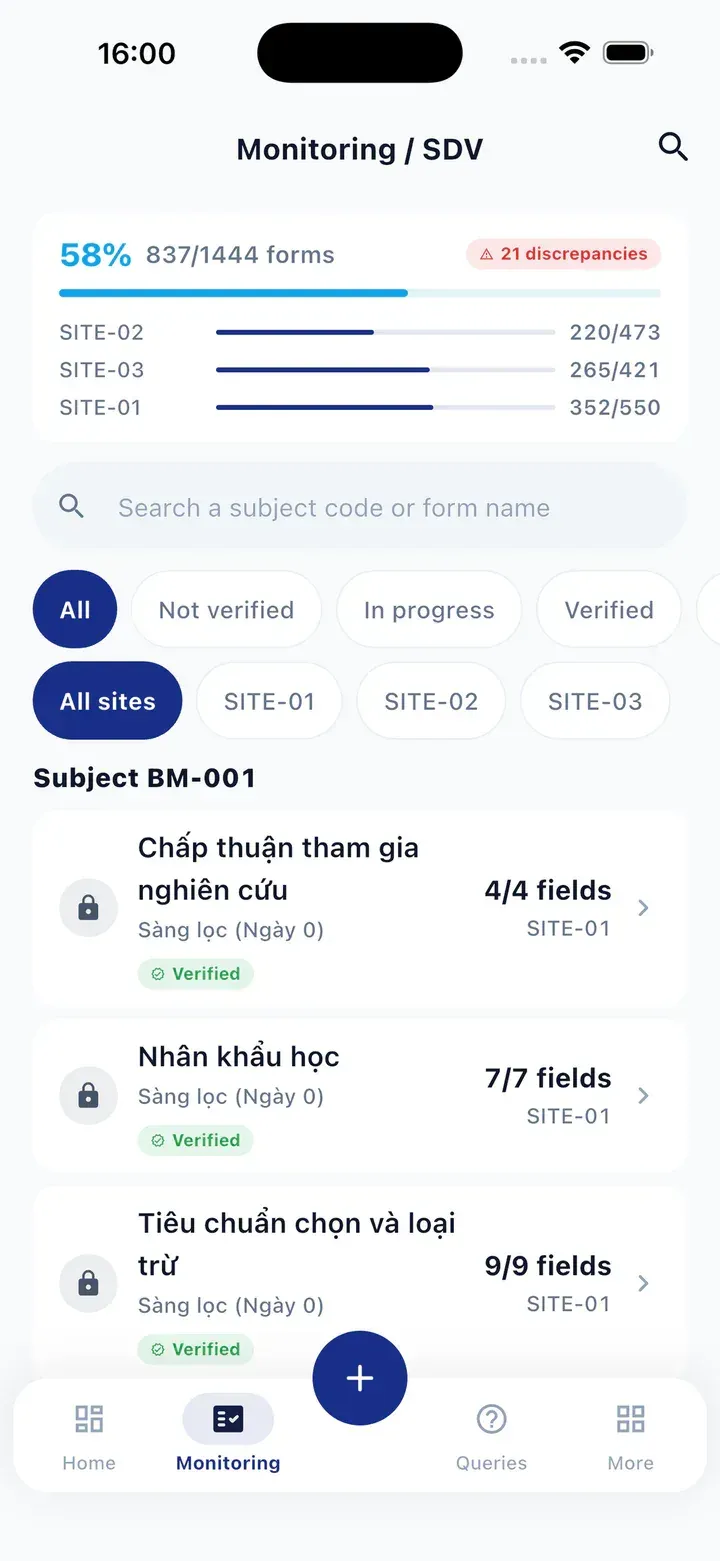
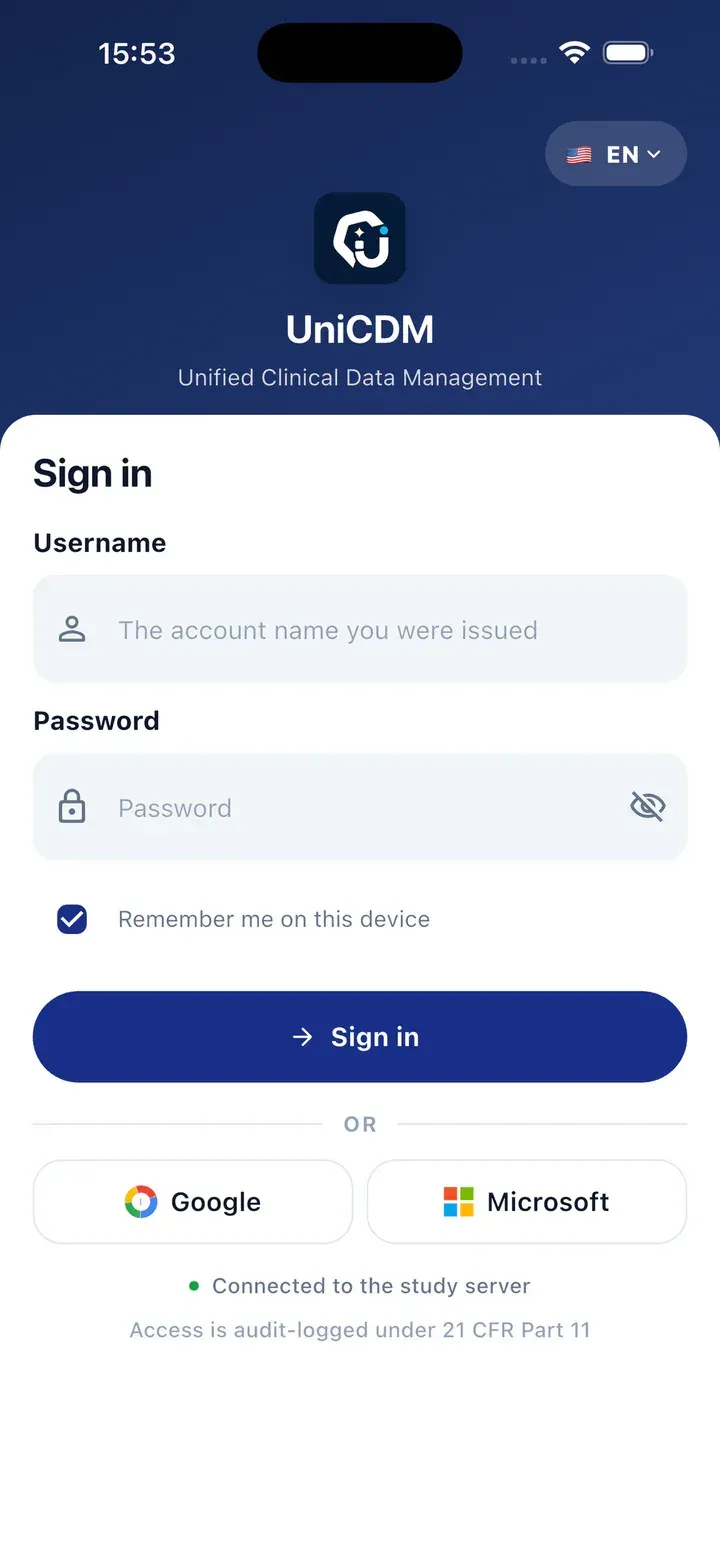
Screenshots taken from unicdm.com. User names have been blurred.
MOBILE APP
Coordinators, investigators and monitors work on their studies from the phone, on the ward or during a site visit.
Scan the QR code with your phone camera
 Download on the App Store
iPhone and iPad, iOS 15.0 or later
 Get it on Google Play
The app requires a study account provisioned by your organisation's clinical data management team. If your organisation does not use UniCDM yet, contact OKAXI to arrange a demo.
Sponsors send CRFs in Word, and data managers rebuild every form by hand in the system.
Site staff struggle to work in software that only has an English interface.
Randomization, SAE tracking and reporting each need a separate tool, so the data is hard to reconcile.
Separate tools
With UniCDM
Build forms in the Form Builder with 19 field types, or import them from a Word file. Configure the visit schedule and randomization, then run the Go-Live checklist.
Sites enter data on the web or in the mobile apps. Edit checks, queries and SDV surface discrepancies early.
Run the closeout checklist, apply soft lock and then hard lock with an electronic signature, export the data and package the eTMF archive.
The eCRF looks like the A4 CRF page and prints as an A4 form, an aCRF or a bilingual CRF.
When importing a Word CRF or drafting translations, AI produces a draft. Users review and approve every change.
Countdowns for the 24-hour, 7-day and 15-day timelines referenced to ICH E2A, with MedDRA coding and CTCAE v5 grading.
Every change goes into a hash-chained audit trail. The integrity check shows where a chain breaks, if it does.
The web app needs an Internet connection. The iOS and Android apps support offline data entry, and drafts sync when the connection returns.
No. The AI only makes proposals when importing a Word CRF or drafting translations. Proposals stay in draft until an authorised user reviews and approves them.
The Data Hub exports CSV, Excel, SPSS and SAS, imports and exports CDISC ODM, and imports Excel or CSV. The CRF Book includes a data dictionary for SAS and R.
UniCDM is built to follow the requirements of 21 CFR Part 11, including a hash-chained audit trail, a mandatory reason for changes to submitted data and electronic signatures with password re-entry. The product has not been assessed or certified by a third party. Compliance in a given study also depends on the operating procedures of the organisation using it.
Customers need a valid MedDRA licence from MSSO to use the MedDRA coding feature in UniCDM.
Contact OKAXI to arrange a demo or discuss your study. Please do not send patient information or study data by email.